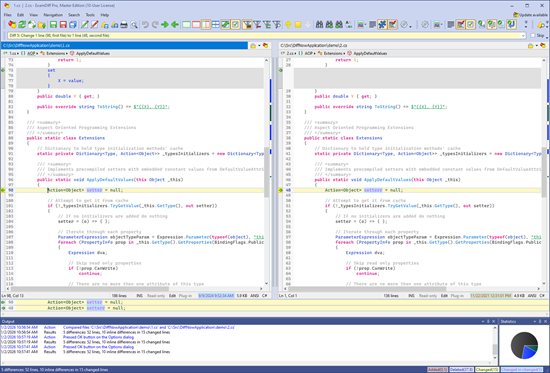
You can download ExamDiff Pro 17 from the ExamDiff Pro Downloads page.
Here's what's new in ExamDiff Pro 17:
Improved text rendering and styling
ExamDiff Pro 17 introduces a new text rendering engine based on DirectWrite, Microsoft's modern text rendering API, replacing the older GDI-based text. Using DirectWrite enables crisper-looking text (thanks to sub-pixel rendering and hardware-accelerated advanced anti-aliasing techniques), as well as higher-quality rendering of non-Western character sets, emojis, ligatures, and characters with complex diacritics.
For more information, see our blog entry about text rendering and styling improvements.
Reengineered Office document support (DOCX, XLSX, PPTX) for much more robust and precise conversion to text
One feature we're particularly excited about in ExamDiff Pro 17 is richer support for displaying and comparing Word, Excel, and PowerPoint files. For this version, we've completely rewritten the plugin that processes Office files (*.docx, *.xlsx, *.pptx, etc), to pull out as much structure and rich content from Office files as possible for comparison.
For more information, see our blog entry about improved Office document support.
Enhanced update checking, including in-app update support
ExamDiff Pro 17 adds the ability to download and install updates without leaving the application. In this version, when you click Help | Check for Updates, if there are any updates available, a new Update Available dialog will open, where you can see all the features that have been added in between your current version of ExamDiff Pro and the newest available version and choose to download and install the updates directly.
For more information, see our blog entry about in-app update support.
Ability to compare ANSI files with non-default code pages, such as Shift-JIS
ExamDiff Pro 17 introduces the ability to manually specify the codepage (encoding) used for non-Unicode text files. This version allows users to override the codepage used for non-Unicode files, with the ability to choose any of the Windows codepages.
For more information, see our blog entry about comparing ANSI files with non-default code pages.
Other Additions In ExamDiff Pro 17
- Syntax highlighting, previously limited to colors, now supports font effects: bold, italic, underline, and strike-through
- Added VHDL document type with full scope bar support and syntax highlighting
- Option to use Shift + Mouse Wheel to horizontally scroll the focused pane instead of scrolling differences
- Better behavior of "Copy adjacent ignored lines when replacing diff blocks"
- Significantly better text rendering performance when syntax highlighting is enabled
- Improved positioning of dialogs in multi-monitor setups
- Status bar now shows the number of selected characters and the Unicode code point of the character at the cursor
- Cleaner "Explorer Menu" submenu, with duplicate entries from other shell extensions removed
- Pane splitters in text comparison and merge now resize panes live while dragging when Windows' "Show window contents while dragging" setting is on, instead of only after releasing the mouse
- Multiple bug fixes
You can find more details about ExamDiff Pro 17, as well as a download link, here, and the complete list of changes here.
|



0 Comments:
Post a Comment
<< Home