
ExamDiff Pro 17: Text Rendering and Styling Improvements |
ExamDiff Pro 17 will feature some significant improvements to how text files are displayed.
Switch to DirectWrite Text Rendering Engine
ExamDiff Pro 17 will introduce a new text rendering engine based on DirectWrite,
Microsoft's modern text rendering API, replacing the older GDI-based text.
(Note that DirectWrite is only available starting in Windows 7, so if you are one of our few users who happens to still running Vista or below,
ExamDiff Pro will retain its old GDI-based text rendering engine in your case.)
Using DirectWrite will enable crisper-looking text (thanks to sub-pixel rendering and hardware-accelerated advanced anti-aliasing techniques),
as well as higher-quality rendering of non-Western character sets, emojis, ligatures, and characters with complex diacritics. In the side-by-side example below,
you can see how a variety of text styles end up looking nicer in ExamDiff Pro 17 versus previous version:
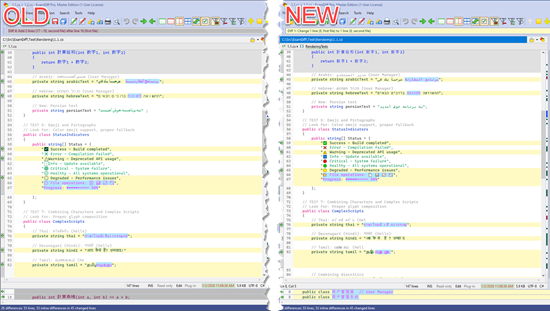 And if you happen to deal with emojis a lot, you'll certainly see a bit difference, as ExamDiff Pro 17 supports proper rendering of color and size for emojis:

Support for Text Styling in Syntax Highlighting
Also on the topic of text rendering, ExamDiff Pro 17 will introduce the ability to specify text styles (bold, italic, underline, and/or strike-through)
for individual syntax types in syntax highlighting:
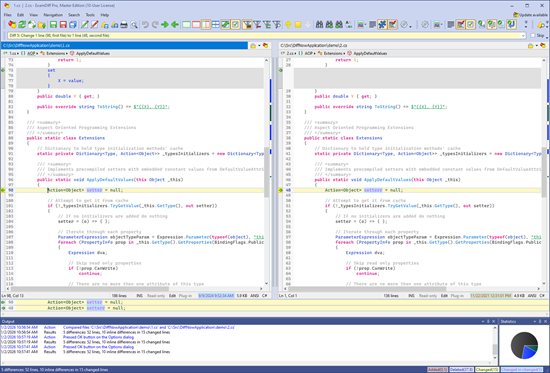
 This can make it easier to visually navigate through source code files in ExamDiff Pro. For example, we can render keywords in bold and strings in underline:


Labels: 17, ExamDiff Pro, Features

0 Comments:
Post a Comment
<< Home